
We built our entire website, AI chatbot, and marketing engine using Claude Code. We also use OpenAI's Codex for code review and async tasks. So when people ask us “which one is better?” — we don't have to guess. We use both every day.
This comparison isn't based on press releases or benchmark cherry-picking. It's based on months of shipping real production code with both tools. Here's what we've learned.
Why This Comparison Matters Now
Six months ago, this post wouldn't have made sense. Claude Code was a terminal-only CLI with no extensions. Codex was a research preview that couldn't run reliably. Both tools have shipped major updates in the last 90 days, and they're now mature enough to compare seriously.
Here's what changed:
- Codex launched a full desktop app (macOS + Windows), a new GPT-5.3-Codex model, a security agent that found 14 real CVEs in open-source code, and skills/worktree support
- Claude Code shipped auto-memory, 1M-token context (beta), agent teams, fast mode (2.5x throughput), and an open-sourced skills library with MCP integration
Both tools can now write, review, test, and refactor code across entire codebases. The question isn't “can they do it” — it's which one fits the way you actually work.
What Each Tool Actually Does
OpenAI Codex
Codex is a cloud-based coding agent. When you give it a task, it spins up a sandboxed cloud environment, clones your repo, installs dependencies, makes changes, runs tests, and presents you with a diff to review. The whole thing happens asynchronously — you can close your laptop and come back later.
Think of it as a junior developer who works in a separate office. You assign tasks, they work independently, and you review their pull requests. Codex is powered by codex-1 (an optimized version of o3) and the newer GPT-5.3-Codex model.
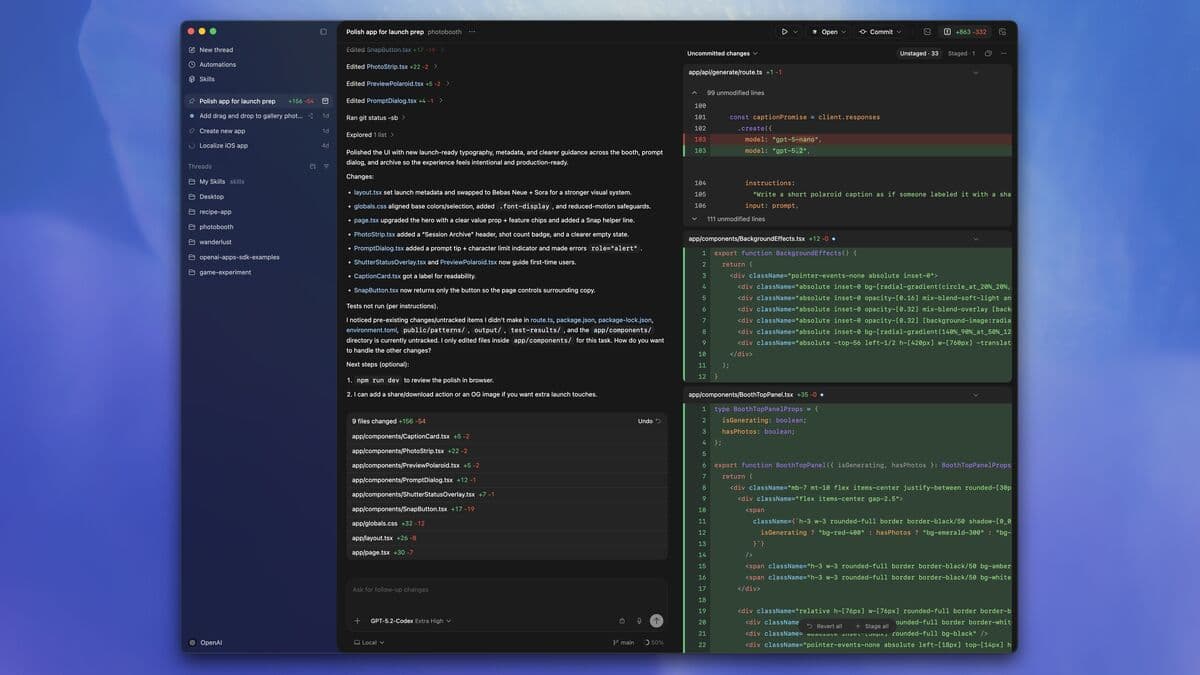
It's available as a desktop app (macOS and Windows), a CLI, a VS Code extension, and through the ChatGPT web interface.
Claude Code
Claude Code is a local terminal agent. It runs directly on your machine, sees your actual filesystem, and makes changes in real-time. You're working together interactively — you type instructions, it edits files, you see the changes immediately.
Think of it as a senior developer sitting next to you. You pair-program together, it understands your full codebase context (up to 1M tokens in beta), and it remembers your patterns across sessions with auto-memory.
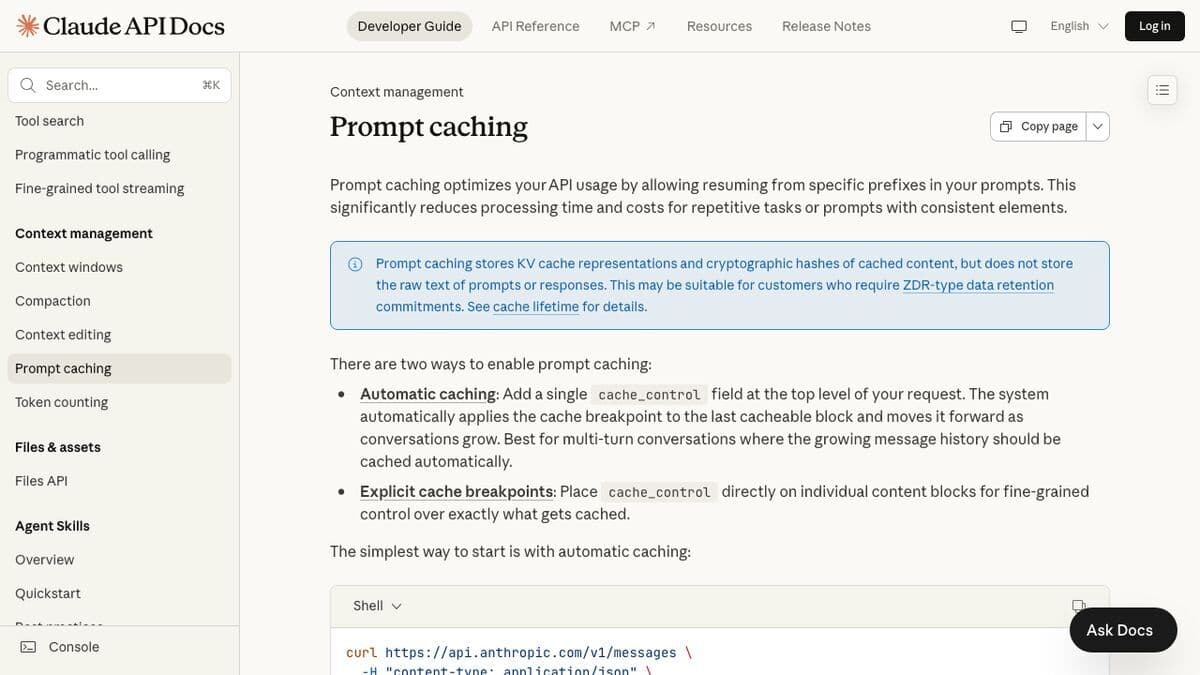
Claude Code runs on Claude Opus 4.6 — currently the highest-scoring model on SWE-bench for complex code reasoning. It's available as a CLI and a VS Code extension (5.2M installs, 4.0 rating).
Features Side by Side
Here's the honest comparison. We've marked the winner in each category where there's a clear one.
| Feature | Codex | Claude Code |
|---|---|---|
| Architecture | Cloud (async, sandboxed) | Local (real-time, your machine) |
| Model | codex-1 / GPT-5.3-Codex | Claude Opus 4.6 |
| SWE-bench | 69.1% | 72.7% ✓ |
| Terminal-Bench 2.0 | 77.3% ✓ | 65.4% |
| Token Efficiency | 3x fewer tokens ✓ | Standard |
| Context Window | 200K tokens | 1M tokens (beta) ✓ |
| VS Code Extension | 4.9M installs (3.3 rating) | 5.2M installs (4.0 rating) ✓ |
| Desktop App | macOS + Windows ✓ | CLI only (no dedicated app) |
| Memory | Project-level skills | Auto-memory + CLAUDE.md ✓ |
| Parallel Tasks | Native multi-thread ✓ | Agent teams (subagents) |
| Security Scanning | Codex Security Agent ✓ | Manual review |
| External Integrations | Skills, ChatGPT ecosystem | Skills + Plugins + MCP ✓ |
| Git Integration | Auto-branch, worktrees | Auto-branch, worktrees |
Neither tool dominates every category. That's the honest truth. If someone tells you one is strictly better than the other, they're not using both.
Where Each One Wins
Codex wins when you need...
- Async background work. Queue up 5 tasks, close your laptop, come back to finished pull requests. Codex's cloud architecture is built for this. Claude Code needs your terminal open.
- Security auditing. The Codex Security Agent scanned 1.2 million commits across top open-source projects, found 792 critical-severity and 10,561 high-severity issues, and discovered 14 real CVEs. Nothing on the Claude Code side matches this yet.
- Parallel workstreams. Codex can spin up multiple sandboxed environments simultaneously. You can have 5 agents working on 5 different features at the same time, each in its own isolated environment.
- Token-conscious workloads. Codex uses roughly 3x fewer tokens per task according to OpenAI's benchmarks. If you're on an API budget, that adds up fast.
- Team workflows. The desktop app with its project sidebar, thread management, and diff review interface is polished for teams running multiple agents.
Claude Code wins when you need...
- Deep reasoning on complex code. Claude Opus 4.6 leads SWE-bench (72.7%) — the benchmark that measures real-world software engineering tasks. When you're debugging a gnarly race condition or refactoring a complex system, the reasoning quality difference shows up.
- Massive codebase understanding. The 1M-token context window (in beta) means Claude Code can hold your entire codebase in memory. We regularly feed it 50+ files and it tracks dependencies, patterns, and conventions across all of them.
- Interactive pair programming. Claude Code runs locally — you see every file change in real time, you can interrupt and redirect, and the feedback loop is instant. With Codex, you submit a task and wait.
- External tool integration. Skills, plugins, and MCP give Claude Code access to databases, APIs, file systems, browsers — anything with an MCP server. We connect it to Supabase, Stripe, Vercel, and GitHub simultaneously.
- Cross-session memory. Auto-memory means Claude Code remembers your project patterns, your preferences, and your past decisions across every session. A new Claude Code session already knows your codebase. Codex starts fresh each thread.
Pricing Breakdown
Both tools start at $20/month but scale very differently.
OpenAI Codex Pricing
| Plan | Price | What You Get |
|---|---|---|
| Go | $8/mo | Limited Codex access, basic models |
| Plus | $20/mo | Full Codex, GPT-5.3-Codex, desktop app |
| Pro | $200/mo | Unlimited Codex, priority compute, higher limits |
| Business | $30/user/mo | Team features, admin controls, SOC 2 |
Claude Code Pricing
| Plan | Price | What You Get |
|---|---|---|
| Pro | $20/mo | Claude Code CLI, Opus 4.6, standard limits |
| Max (5x) | $100/mo | 5x usage, longer sessions, fast mode |
| Max (20x) | $200/mo | 20x usage, priority access, agent teams |
| API | Pay-per-token | BYOK, no limits, full control |
The real cost difference: Codex bundles everything into ChatGPT subscriptions you might already pay for. Claude Code is a separate subscription or API key. If you're already paying for ChatGPT Plus, Codex is “free” — you already have it. If you're already paying for Claude Pro, same thing.
For heavy usage, Claude Code's API option (bring your own key) can be cheaper than either company's highest tier — if you're comfortable managing your own token budget.
The Hybrid Workflow (What We Actually Do)
Here's the part most comparison articles skip: you don't have to pick one.
We use both tools every day, and they fill different roles. Our workflow looks like this:
- Claude Code for building. New features, refactors, bug fixes — anything where we need deep reasoning and interactive feedback. Claude Code sees our full codebase, remembers our conventions (via CLAUDE.md and auto-memory), and we can redirect it mid-task when something doesn't look right.
- Codex for reviewing. After Claude Code builds something, we use Codex to review the diff, spot edge cases we missed, and run security checks. Codex's async nature works perfectly here — submit the review task, keep working on something else, come back to the findings.
- Codex for batch operations. Updating documentation across 30 files, running linting fixes, migrating test patterns — repetitive tasks that don't need deep reasoning but do need reliability. Codex handles these in the background while we focus on more complex work with Claude Code.
This hybrid approach isn't unique to us. A growing number of development teams are landing on similar patterns — Claude Code (or Cursor with Claude) for the creative building phase, Codex for the review and maintenance phase.
Which One Should You Pick?
Stop overthinking it. Here's the decision tree:
Pick Codex if:
- You already pay for ChatGPT Plus or Pro
- You want to assign tasks and walk away (async workflow)
- You work on a team and need parallel agent threads
- Security scanning is a priority (Codex Security Agent is unmatched)
- You prefer a polished desktop app over a terminal
Pick Claude Code if:
- You already use Claude Pro or Max
- You want real-time pair programming (interactive workflow)
- Your codebase is large and complex (1M-token context matters)
- You need external tool connections (MCP, Supabase, Stripe, etc.)
- You value cross-session memory and codebase awareness
Pick both if:
- You ship code daily and want the best tool for each phase
- You build with Claude Code and review/audit with Codex
- You have the budget ($40-$200/mo total) and want no compromises
Our recommendation
Start with whichever ecosystem you're already in. ChatGPT user? Try Codex first — it's already included in your subscription. Claude user? You already have Claude Code access.
Use it for a real project, not a toy demo. Build something that matters to your business. Then — and only then — try the other one to see if it fills a gap.
We started with Claude Code, added Codex for code review three months later, and haven't looked back. The tools are complementary, not competitive.
The worst decision is the one where you spend two weeks reading comparison articles instead of shipping code with either tool. Pick one, start building, and iterate from there.
Need help figuring out which AI coding tools fit your team's workflow? We've set up these stacks for dozens of companies. Get in touch and we'll walk you through it.

Elevated AI Consulting
Sam Irizarry is the founder of Elevated AI Consulting, helping businesses grow through strategic marketing and AI-powered solutions. With 12+ years of experience, Sam specializes in local SEO, web design, AI integration, and marketing strategy.
Learn more about us →