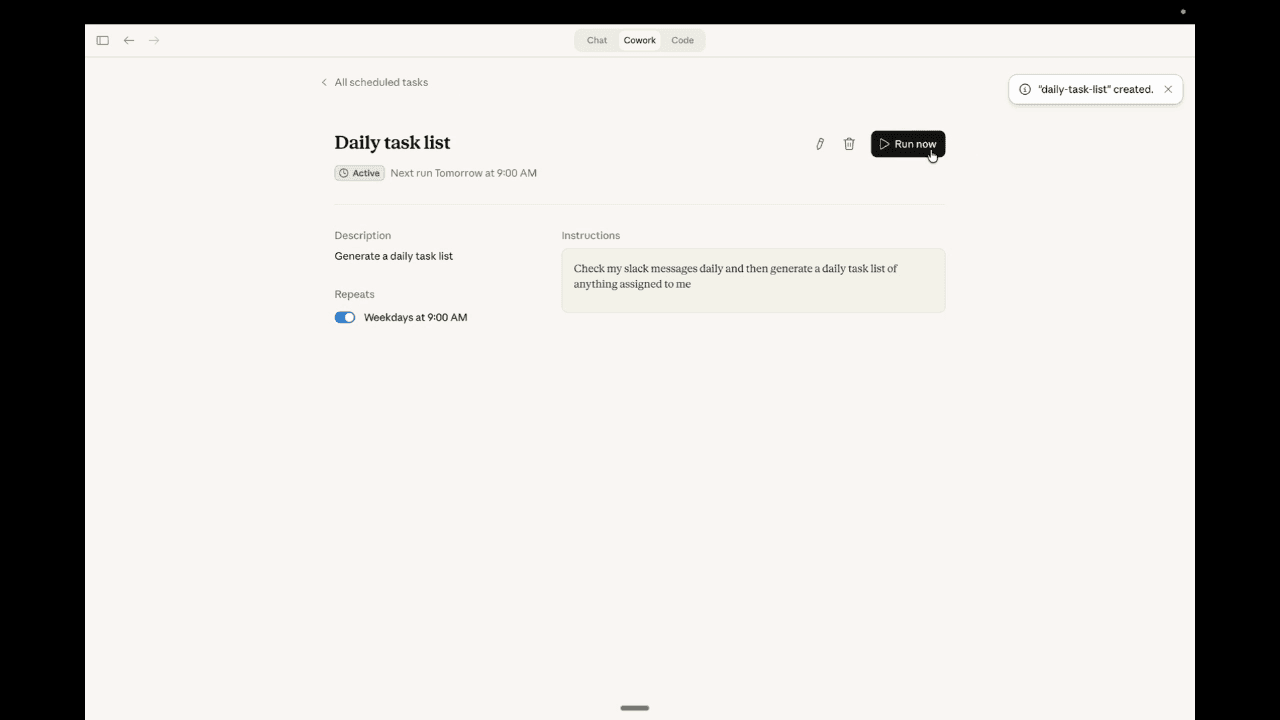

Cover: an existing AI illustration from the EAC library, not an OpenAI dots screenshot. The original workflow diagram below explains the delegation model.
An AI assistant can write a convincing update in seconds. The harder problem is remembering to revisit it when the facts change, finding the next dependency, and bringing the unfinished decision back to the right person.
OpenAI dots aim at that second problem. OpenAI describes a dot as an always-on agent with its own cloud computer, relevant memory, and ongoing responsibilities. The rollout appears in its September 28–October 2 release notes. Meet dots · This week's release notes
For a business owner, the interesting question is whether an assistant can carry a small piece of operational responsibility across several conversations. Here is what OpenAI currently documents, how to start if your account has access, and where we think the change could matter.
What an OpenAI dot does
OpenAI says dots run on GPT-6 Astra and can research, analyze data, prepare documents, and build software. Their cloud work can continue when your own computer is off. A dot can retain relevant context and work between conversations, returning results or asking for a decision. Product overview
Think about the difference between asking for a launch checklist and assigning responsibility for keeping that checklist current. The latter needs continuity: noticing a revised delivery date, identifying which item depends on it, and explaining what the owner now needs to decide.
That is our interpretation of the important shift. A good answer is useful once. A well-managed responsibility can remain useful as circumstances change. Whether dots deliver that value in your business depends on access, source quality, reliability, and how clearly you define the work. This article is a product explainer and a suggested trial, not a measured performance benchmark or a claim about client results.
Who can use dots right now?
As checked on October 2, 2026, OpenAI lists a gradual rollout to:
- Pro 100, Pro 200, and Pro 500 users over 18 outside the European Economic Area, United Kingdom, and Switzerland.
- Business Premium users worldwide.
- Enterprise users worldwide, with dots disabled by default until a workspace administrator enables them.
An eligible plan does not mean dots will appear immediately. Work or Codex tasks managed by a dot still count toward those products' usage limits. Check the live access section before making a purchasing decision. Availability and usage
Create your dot in the desktop app or ChatGPT in a desktop browser. After setup, the mobile app can reach the same dot when its supporting update is available. Mobile web is not supported. If you do not see dots, verify eligibility and workspace settings rather than assuming a setup error. Getting started
How to set up your first dot
Open dots in ChatGPT and follow the introduction. The setup offers app connections; you can skip them and add them later. In the desktop app, connecting your own computer is a separate choice. You can personalize the dot's name and appearance afterward. Setup instructions
Our recommendation is to begin with one responsibility and the minimum sources needed to do it. A folder full of unrelated material is a poor substitute for a clear brief. Pick work where you can easily tell whether the result is right: an internal project update, a comparison of public supplier information, or a list of unresolved questions from an approved brief.
There are three different connections to understand:
| Connection | What it is for | What to check first |
|---|---|---|
| Contact method | Talk to the dot and receive updates | Where should routine updates and decisions go? |
| App or plugin | Use that service's permitted information and tools | Is the correct account connected, with appropriate actions allowed? |
| Your computer | Use local files, apps, and tasks | Does this responsibility actually need local access? |
OpenAI documents these as separate permissions. A Slack contact method does not automatically connect your inbox or local computer. A connected personal computer must stay online with the ChatGPT app open while the dot uses it. Its cloud browser has separate website sessions from your own browser. Computers and apps
This matters when diagnosing a stalled task. Ask which source or environment is unavailable. Reconnecting the wrong service will not fix a missing file or an expired website session.
ELEVATED AI CONSULTING · WORKFLOW EXPLAINER
Give ongoing work a clear human decision.
One responsibility.
Approved sources.
Action boundaries.
Research and prepare.
Track changing facts.
Return evidence and gaps.
Inspect the output.
Resolve missing details.
Approve the next action.
New information → redirect the same responsibility → review again
A useful first responsibility: keep a supplier decision current
Here is an original EAC example using fictional details. It is a suggested workflow, not output from a live dot test. A small events business is choosing a supplier for a November workshop. It has two proposals, one planning brief, and several unanswered questions.
The owner could assign this responsibility:
Help me keep the November workshop supplier decision current through October 16, 2026.

Use only the workshop brief and the two supplier proposals I share here. Maintain a comparison of price, capacity, stated availability, cancellation terms, and unanswered questions. Cite the document and section for each factual entry. Mark missing details as unknown.

Prepare drafts and an internal comparison only. Do not contact suppliers, make bookings, accept terms, or spend money. Bring conflicting dates, missing prices, and any proposed external action to me in ChatGPT. Keep routine progress in the comparison.

First, show the initial comparison and identify missing sources. If repeated checks require a schedule or connection, explain what is supported and confirm the setup before relying on it.
Why this brief is better than “handle the workshop”: it defines the outcome, sources, deadline, uncertainty behavior, allowed work, and decisions reserved for the owner. Those are our recommended operating boundaries, not a special OpenAI prompt format.
Suppose Supplier A's fictional proposal lists capacity as 24 people, while the planning brief calls for 30. Supplier B lists capacity as 36 but omits cancellation terms. A useful first result should surface both issues and cite their sources. It should not quietly assume the workshop can shrink or invent a cancellation policy.
Now imagine an authorized revised proposal arrives with capacity increased to 32. The owner can ask the same dot to update the existing comparison and explain what changed. The decision may now hinge on the missing terms rather than capacity. Continuity has value because the assistant keeps the decision's context alongside the new information.
Before expanding the workflow, inspect the actual comparison. Can you trace the capacity figures? Did “unknown” remain unknown? Did the dot respect the external-action boundary? A polished table that fails these checks is not ready to own more work.
Three workflows worth considering
The strongest candidates have a changing source, a clear deliverable, and a named human decision.
- Keep a project brief current. Compare new approved updates with the existing brief. Highlight changed dates and dependencies. The owner approves scope or budget changes.
- Maintain an interview content pack. Use approved transcripts to prepare captions, summaries, and questions. Keep quotes traceable. An editor approves publication and checks consent.
- Prepare a software issue for review. Track the reported behavior, supporting evidence, and proposed fix. A reviewer checks testing and decides whether to merge or release.
These are workflow suggestions, not promises that every app supports every step. OpenAI documents delegation to background agents and separate Work or Codex tasks. Task context and the environment matter; a new delegated conversation does not automatically contain every earlier conversation. Review completed output and reported errors. Tasks and memory
If your immediate need is a single weekly report, our Claude lead-review example shows how to make a reproducible calculation before adding more automation. If the work touches customer messages, the customer-email test plan is a useful next step for validating drafts and handoffs.
Why this could be a meaningful change
The exciting part is the combination of continuity, tools, and a human feedback loop. A business owner can describe a responsibility, inspect an intermediate result, change priorities, and keep the same work moving. Our view is that this could reduce the repeated explanation and manual follow-up surrounding small projects.
That is an argument about workflow design, not proof of saved hours. Evaluate it with one task. Keep a short log of corrections, missing access, unsupported actions, and decisions you still had to make. Compare that with the effort required by your existing process. You will learn more from three accurate updates than from a dramatic demo.
Voice and messaging also make continuity easier to access. OpenAI documents ChatGPT calls and supported Slack and Teams contact methods. Ending a voice call can leave assigned work running; dot-initiated calls are planned for after launch, and texting is described as coming soon. Do not build a workflow around those future features. Messaging and calls
Limits and controls you should understand
OpenAI says safeguards, app permissions, and automatic action review apply to dots. An action can proceed, require approval, or need a human step. Instructions to draft a reply do not authorize sending it. Custom rules cannot override built-in safety requirements. Controls and action review
For a first trial, check:
- Sources: Can each consequential claim be traced to the material you approved?
- Authority: Which actions may the dot take, and which require your decision?
- Access: Are the account, plugin, and computer connections correct for the task?
- Timing: Is any fixed recurring check actually saved, with a time zone and end date?
- Delivery: Where should you look for the result and unresolved requests?
OpenAI distinguishes saved recurring schedules from a dot deciding when to follow up. Ask it to confirm scheduled work and inspect Scheduled. Connecting a channel alone does not establish event monitoring. Supported events and connections determine what can be monitored. Recurring tasks and events
Stopping work also has several parts. Pause stops the dot's current main task; delegated tasks in Activity and recurring tasks in Scheduled need separate attention. Stopping a task does not undo a completed action. Stop controls
Dots deserve attention because they make ongoing delegation a visible product experience. Start with a responsibility you can inspect, keep its authority clear, and judge the result by whether the underlying work stayed accurate as the facts changed.
Public documentation checked October 2, 2026. Availability, interface labels, limits, and supported connections may change. All workshop details above are synthetic; no employer, client, or private system information is included.

Sam Irizarry
Sam Irizarry is the founder of Elevated AI Consulting, helping businesses grow through strategic marketing and AI-powered solutions. With 12+ years of experience, Sam specializes in local SEO, web design, AI integration, and marketing strategy.
Learn more about us →