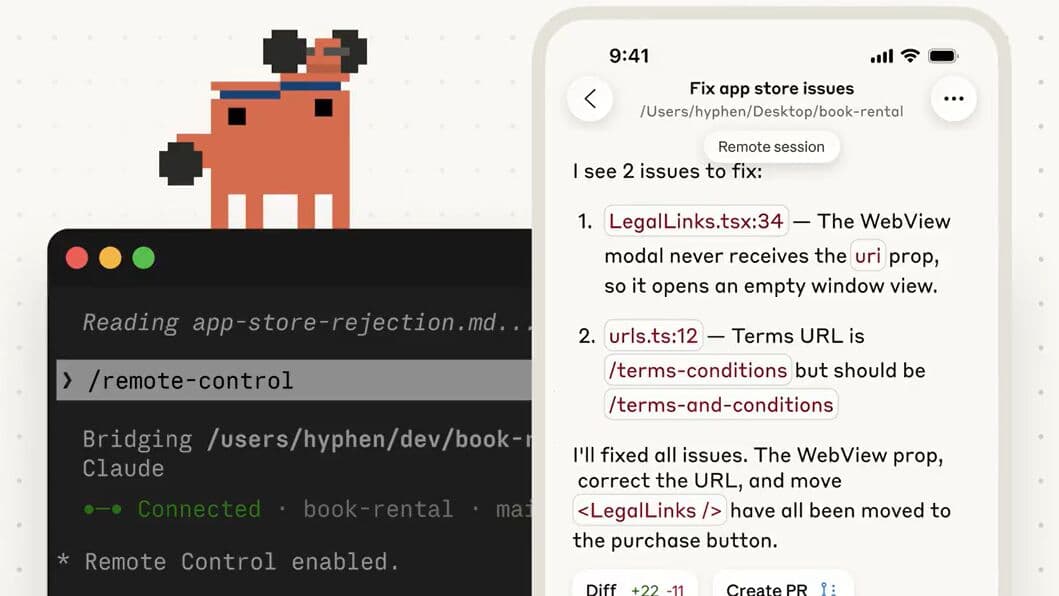

Anthropic just shipped the /btw command for Claude Code — a way to leave async notes for Claude mid-task without interrupting whatever it's working on. The announcement hit 199,000 views on X within hours. Developers have been frustrated with that mid-flow interruption problem for months.
But there's a bigger problem most people haven't fixed yet: Claude doesn't know anything about your project when it starts. Every session, it begins from zero. And if you're spending the first 10 minutes of every Claude Code session re-explaining your stack, your conventions, your preferences — you're burning time that compounds badly.
The fix is one file: CLAUDE.md.
Why Claude Keeps Forgetting Your Project
LLMs are stateless by design. Claude doesn't carry memory between sessions — each conversation starts fresh. This is a feature, not a bug: it prevents context contamination from old conversations and keeps performance consistent.
But for anyone using Claude Code to build real products, statelessness is a real friction point. You work in a Next.js project with Supabase. You use Tailwind CSS 4. You don't use semicolons. You run npm run build before committing. You have a specific folder structure. You prefer certain patterns.
None of that exists in Claude's context when it starts. So either you re-explain it every time, or Claude guesses — and when it guesses, it produces generic code that doesn't fit your project. You then spend time correcting instead of building.
This is the problem CLAUDE.md solves. It's not complicated. It doesn't require any configuration. It's just a markdown file that Claude reads before doing anything else.
What CLAUDE.md Actually Is
CLAUDE.md is a configuration file that lives in your project root directory. When you open Claude Code in a project that has one, Claude automatically reads it at the start of every session. The contents go directly into its context window, alongside your conversation.
Think of it as a briefing document. Before Claude touches anything in your codebase, it reads your CLAUDE.md and knows: what this project is, how it's structured, how you like to work, and what tools you use. That context doesn't disappear when you close the terminal and come back tomorrow.
You can place CLAUDE.md in several locations depending on your needs:
- Project root — shared with anyone on the team who uses Claude Code. This is the standard setup.
- Subdirectories — for monorepos where different parts of the codebase have different conventions.
- Your home folder — for personal preferences that apply across all your projects (your preferred code style, tools you always use, etc.).
Claude can also import additional files from CLAUDE.md using @path/to/import syntax. So if your project has a long testing guide, a deployment runbook, or a style guide, you can keep CLAUDE.md concise and link out to those docs instead of cramming everything into one file.
Context Engineering vs. Prompt Engineering
Most people using Claude Code are still optimizing their prompts — trying to phrase questions more precisely, adding more detail to individual requests, rewording things when Claude doesn't get it right.
Prompt engineering is valuable. But it's tactical. You're optimizing for one interaction at a time.
Context engineering is strategic. Instead of asking better questions, you give Claude the information it needs to answer well before you ask anything. The model knows your stack, your conventions, your preferences. So the default quality of every interaction is higher, without extra effort on your part.
We said this on X after someone replied to our 1-person AI marketing team post: "most people are still optimizing prompts. the winners are building context. CLAUDE.md isn't magic. it's just real context. when the model knows your stack, your conventions, your preferences, it stops guessing."
Context engineering doesn't replace prompt engineering — it amplifies it. A well-written prompt in a project with a solid CLAUDE.md produces dramatically better results than the same prompt with no context at all.
There's also a ceiling to be aware of. Research shows frontier LLMs can follow roughly 150-200 instructions with reasonable consistency. Claude Code's own system prompt uses approximately 50 of those. That means your CLAUDE.md effectively has budget for 100-150 real instructions before things start getting ignored. Keep it concise and prioritize what actually matters.
The Three Essential Sections
A good CLAUDE.md is built around three core questions: WHAT is this project, WHY does it exist, and HOW do we work on it. Here's how to think about each.
1. WHAT — Project Structure and Stack
This is the map. Tell Claude what the project is, what technologies it uses, and how the files are organized. Be specific.
## Project Overview
E-commerce platform built with Next.js 16 (App Router) and Supabase.
Deployed on Vercel. Payments via Stripe. Email via Resend.

## Tech Stack
- Framework: Next.js 16 with App Router
- Database: Supabase (PostgreSQL + pgvector)
- Styling: Tailwind CSS 4
- Testing: Vitest + React Testing Library
- Node.js: 22+

## Key Folders
- /src/app — pages and API routes
- /src/components — React components
- /src/lib — utilities and integrations
- /src/data — static data and types
Don't write a novel. Write a map. Claude can figure out the rest by reading your files — it just needs the orientation.
2. WHY — Purpose and Goals
This is context that changes how Claude approaches decisions. A prototype and a production app need different defaults. A side project and a client-facing SaaS need different care levels.
## Project Context
Production website for EAC (Elevated AI Consulting).
National audience — do not add regional focus.
Sam is not a developer. Claude Code is the full dev team.
Treat this as a senior developer would: careful with schema changes,
no unnecessary refactors, no extra features beyond what's asked.
This section also protects you from Claude being helpful in the wrong direction — adding features you didn't ask for, refactoring code that didn't need it, or treating a production system like a playground.
3. HOW — Workflow and Conventions
This is the operational manual. Commands to run, conventions to follow, verification steps to take before marking something done.
## Development Commands
- npm run dev — start development server
- npm run build — production build (must pass before commit)
- npm run lint — ESLint check (must pass)
- npx tsc --noEmit — type check (must pass)
- npm run test — run all tests

## Git Conventions
- main is production. Vercel auto-deploys.
- Conventional commits: feat:, fix:, docs:, refactor:, test:
- Never force-push to main. Use git revert to undo.

## Code Style
- Use TypeScript strict mode
- No unnecessary comments
- Prefer editing existing files to creating new ones
The HOW section is where most of the practical value lives. Once Claude knows to run your build before committing, to avoid touching unrelated files, and to follow your commit format — you stop correcting those things constantly.
What NOT to Put In It
This is where most CLAUDE.md files go wrong. They get overloaded with instructions that dilute the ones that actually matter.
Code style rules. Things like indentation, semicolons, quote style — don't put these in CLAUDE.md. Use a linter. ESLint, Biome, Prettier — these tools enforce code style deterministically. Asking an LLM to remember your formatting preferences is asking it to do the wrong job. Use tools for that.
Secrets or credentials. CLAUDE.md is typically version controlled and shared with your team. Never put API keys, passwords, connection strings, or any sensitive data in it. Use environment variables and reference them in CLAUDE.md by name if needed (e.g., "use OPENAI_API_KEY from .env.local").
One-time instructions. If something only applies to one task you're doing today, say it in the prompt, not in CLAUDE.md. The file is for persistent context, not session-specific directions.
Generic best practices. "Write clean code." "Handle errors properly." "Test your work." Claude already knows these. Instructions in CLAUDE.md should be specific to your project — things Claude wouldn't know without being told.
The tighter your CLAUDE.md, the better it performs. Every unnecessary line is a line competing with the lines that actually matter.
How to Set Yours Up Right Now
The fastest way to get started: open Claude Code in your project directory and run /init. Claude will analyze your project structure, detect your tech stack, and generate a starter CLAUDE.md. It's not perfect out of the box, but it's a solid foundation to edit rather than starting from blank.
After running /init:
- Trim the generic content. The auto-generated file often includes obvious things (like "this is a React project") that don't need to be stated. Cut anything that Claude would know from reading the codebase.
- Add your specific conventions. The things Claude can't infer from looking at files: your commit message format, which commands to run before finishing work, your deployment process, any quirks specific to your setup.
- Add the WHY. This is the part most auto-generated files miss: context about the project's purpose, audience, and constraints.
- Link out for depth. If you have a long testing guide or a detailed API reference, put those in separate files and reference them with
@docs/testing.mdsyntax. Keep the root CLAUDE.md short and scannable.
After setup, treat it like living documentation. When Claude makes the same mistake twice, that's a signal that something needs to be in CLAUDE.md. When your stack changes, update it. When you hire someone new to the project, they should be able to get context from it too.
The goal is a file where every line earns its place. If an instruction is there and Claude still gets it wrong, ask: is the instruction clear enough? Is it being drowned out by too many other instructions? Should this be a linter rule instead?
How We Use It at EAC
We're not going to tell you CLAUDE.md is powerful and then skip showing how we use it ourselves. EAC's CLAUDE.md is committed to the repo and covers the full stack context Claude needs to work on our website without constant guidance.
Ours includes:
- A complete infrastructure table: which GitHub account, which Vercel project, which Supabase project ref, and explicit notes about a March 2026 migration so Claude never touches the old accounts
- Exact deploy commands for each type of change (code deploy vs. database migration vs. blog seeding)
- A route structure reference so Claude knows exactly what's in
/src/appwithout having to explore it every session - Brand voice rules — what words we never use, what structures to avoid, what tone to write in
- Verification requirements: build must pass, lint must pass, type check must pass before anything gets committed
The result: Claude Code on the EAC project behaves like a senior developer who's been working here for months. It knows the stack, follows the conventions, and doesn't have to be reminded about the same things twice.
This is the same principle behind the 1-person marketing team model and the reason we covered Claude Cowork scheduled tasks in depth earlier this year. The tools are powerful. The setup is the work. Once the setup is right, the output quality is consistently high without constant supervision.
A CLAUDE.md file takes an afternoon to write well. It saves hours every week after that.
If you want help setting one up for your business — or figuring out how Claude Code fits into your workflow at all — that's what our AI strategy sessions are built for. We can map out your specific use case, identify what context Claude needs to be useful, and get you set up with a file that actually works.

Elevated AI Consulting
Sam Irizarry is the founder of Elevated AI Consulting, helping businesses grow through strategic marketing and AI-powered solutions. With 12+ years of experience, Sam specializes in local SEO, web design, AI integration, and marketing strategy.
Learn more about us →